

Download Livestation – Free International TV Streaming, Live Channels, and Chat
Overview
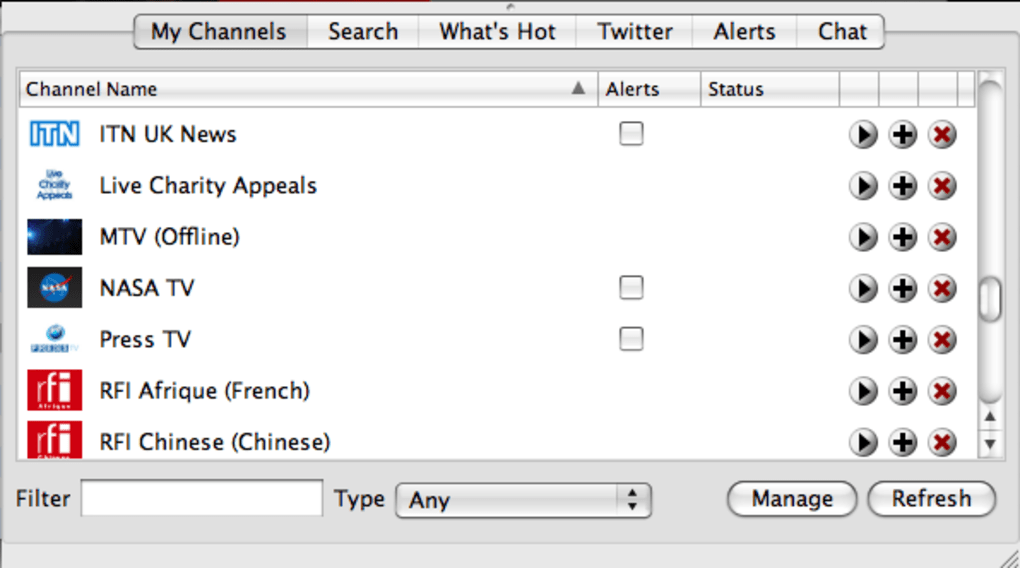
Livestation is a sleek, cross‑platform streaming tool that aggregates hundreds of television channels from Europe, the United States and international broadcasters into a single, easy‑to‑navigate interface. Unlike many peer‑to‑peer TV apps, Livestation operates under official licensing agreements with premium networks such as BBC World, CNN, and Discovery Channel, guaranteeing reliable, high‑definition video and crystal‑clear audio. The application’s hallmark is its visually striking 3D carousel of channel logos, reminiscent of iTunes album browsing, which makes channel selection feel both intuitive and modern.
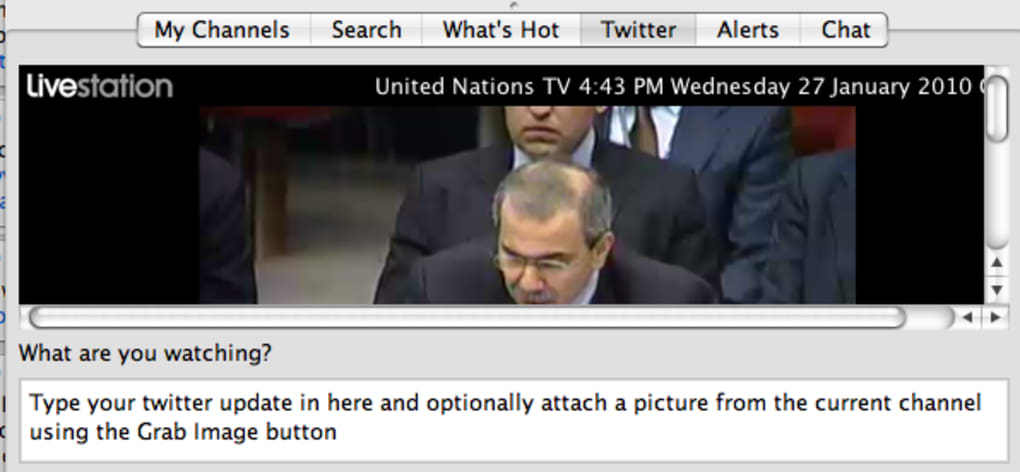
Users can also join an online chat that appears beside each stream, allowing real‑time discussion and channel rating. Recent updates have expanded the channel lineup to include specialty feeds like United Nations TV and UNHCR, and have introduced social features such as direct Twitter posting with a built‑in screenshot tool. The built‑in search engine now filters results by Premium Partner, Viewer Added, and Free Partner, helping viewers find exactly what they want in seconds.
While the chat community can be sparse for niche channels and the app still lacks a built‑in recording function, Livestation remains one of the most comprehensive, legal, and high‑quality TV‑over‑Internet solutions for travelers, expatriates, or anyone seeking a global viewing experience without a traditional cable subscription.
Key Features & Installation Guide
Feature List
- Officially licensed streams from BBC World, CNN, Discovery Channel, and more.
- 3‑D rotating carousel UI for fast channel navigation.
- Integrated chat beside each live broadcast for community interaction.
- Direct Twitter integration – tweet screenshots of what you’re watching.
- Advanced search filters (Premium Partner, Viewer Added, Free Partner).
- Continuous updates adding new channels like UN TV and UNHCR.
- Full‑screen mode that retains HD video and audio quality.
- Cross‑platform support for Windows, macOS, Android, and iOS.
- Simple “Add to player” button on the developer website to expand channel list.
- Secure HTTPS connections to protect user privacy.
Installation & Usage Instructions
Downloading and setting up Livestation is straightforward, whether you’re on a desktop or a mobile device.
- Download the installer: Visit the official Livestation website and click the “Download for Windows/macOS/Android/iOS” button that matches your operating system.
- Run the installer: On Windows, double‑click the .exe file; on macOS, open the .dmg and drag the app to your Applications folder; on Android, tap the .apk and follow the prompts; on iOS, download from the App Store.
- Create an account: Launch Livestation, select “Sign Up,” and provide an email address and password. Verification is sent via email.
- Configure preferences: In Settings, you can enable automatic channel updates, choose your default video quality, and link your Twitter account for instant sharing.
- Add channels: Browse the channel marketplace on the Livestation website, click “Add to player,” and the channel appears instantly in your carousel.
- Start watching: Click a channel logo, enjoy the live stream, and use the chat pane on the right to discuss with other viewers. Use the full‑screen button for an immersive experience.
- Stay up to date: Livestation checks for updates on launch; you can also manually trigger “Check for Updates” in the Help menu.
This step‑by‑step process ensures that even users with limited technical expertise can download, install, and start streaming within minutes.
Compatibility, System Requirements, and Pros & Cons
Supported Operating Systems
Livestation runs on Windows 10/11 (64‑bit), macOS 10.15 Catalina or later, Android 8.0 Oreo and newer, and iOS 13 or later. The application is optimized for both Intel and Apple Silicon processors, delivering smooth playback on laptops, desktops, tablets, and smartphones.
Pros
- Legal, high‑quality streams: Official licensing eliminates buffering and low‑resolution issues common with pirated sources.
- Extensive channel library: Over 200 live feeds, ranging from news to documentaries, all searchable in seconds.
- User‑friendly UI: The 3‑D carousel makes channel browsing a visual pleasure.
- Social integration: Twitter sharing and live chat add a community dimension to solo viewing.
- Regular updates: New channels and feature enhancements are delivered automatically.
Cons
- Chat activity varies: Niche channels often have few or no participants, limiting real‑time interaction.
- No built‑in recording: Users cannot capture live streams for offline viewing without third‑party tools.
- Requires stable broadband: HD streaming consumes 3‑5 Mbps; users on limited data plans may experience throttling.
- Limited offline support: Without a recording feature, the app cannot be used in airplane mode.
FAQ and Final Thoughts
Is Livestation free to use?
Yes, Livestation offers a completely free tier that includes access to all standard channels. Premium partners may require a subscription, but the core experience is free.
Can I watch Livestation on a Smart TV?
Livestation does not currently provide a native Smart TV app, but you can cast from an Android or iOS device to most TV models using Chromecast or AirPlay.
How much bandwidth does Livestation consume?
Streaming in HD typically uses 3‑5 Mbps, while 4K streams (if available) may require 15‑20 Mbps. Users can adjust quality in Settings to match their data plan.
Is my personal data safe?
Livestation employs HTTPS encryption for all connections and does not sell user data. Passwords are stored using salted hashes.
Can I add my own custom channels?
Yes, by visiting the Livestation developer portal you can click “Add to player” for any supported M3U8 stream, and it will appear in your channel carousel instantly.
Conclusion – Should You Download Livestation?
If you crave a legal, high‑definition window into global television without the cost of a cable package, Livestation is a strong candidate. Its officially licensed streams, polished 3‑D interface, and built‑in social tools set it apart from typical P2P TV clients. While the chat rooms may feel quiet on less‑popular channels and the lack of an internal DVR limits offline viewing, these drawbacks are outweighed by the breadth of content and the security of a licensed service. For travelers, digital nomads, or anyone who wants to stay connected to world news, documentaries, and entertainment on the go, the answer is clear: download Livestation today, enjoy free, secure streaming, and explore the world from your screen.







